A complete Member App
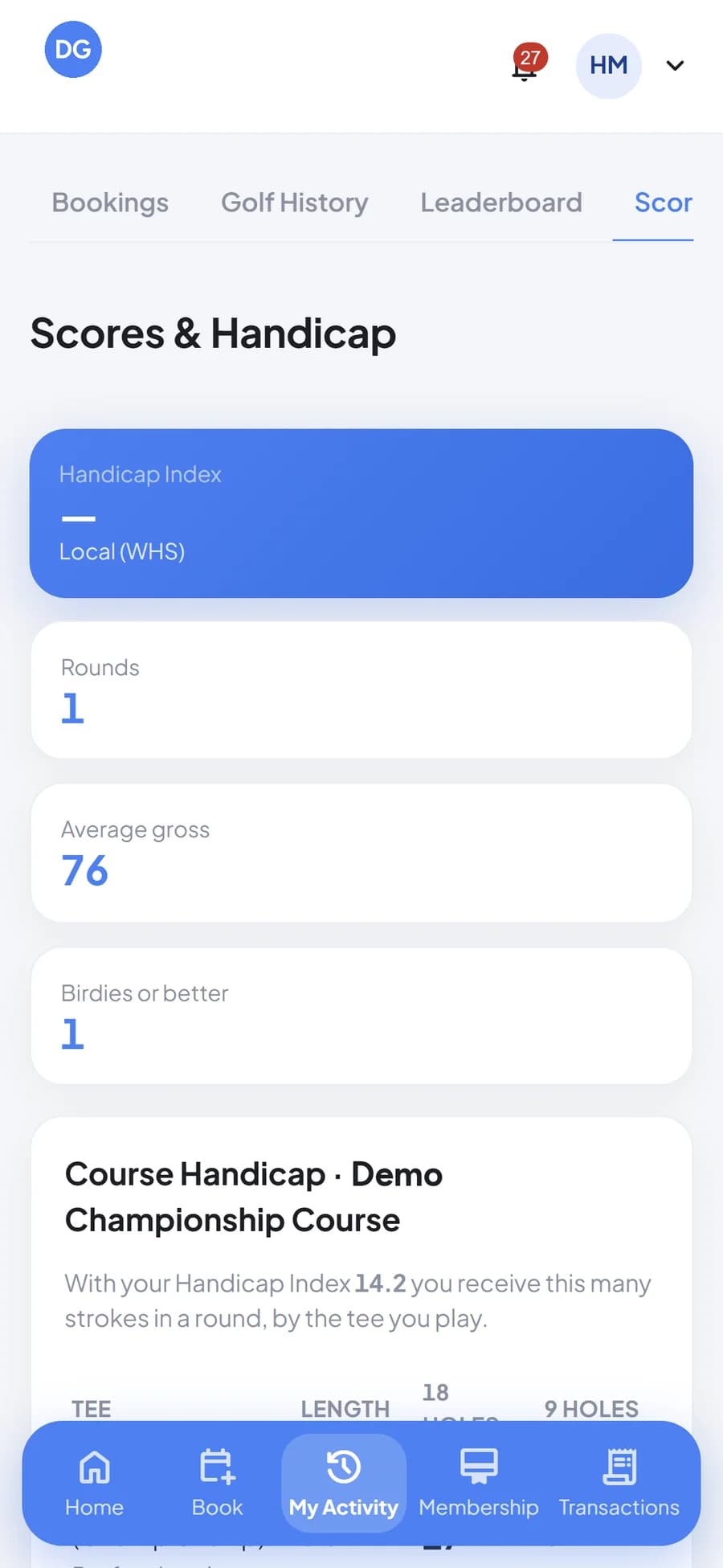
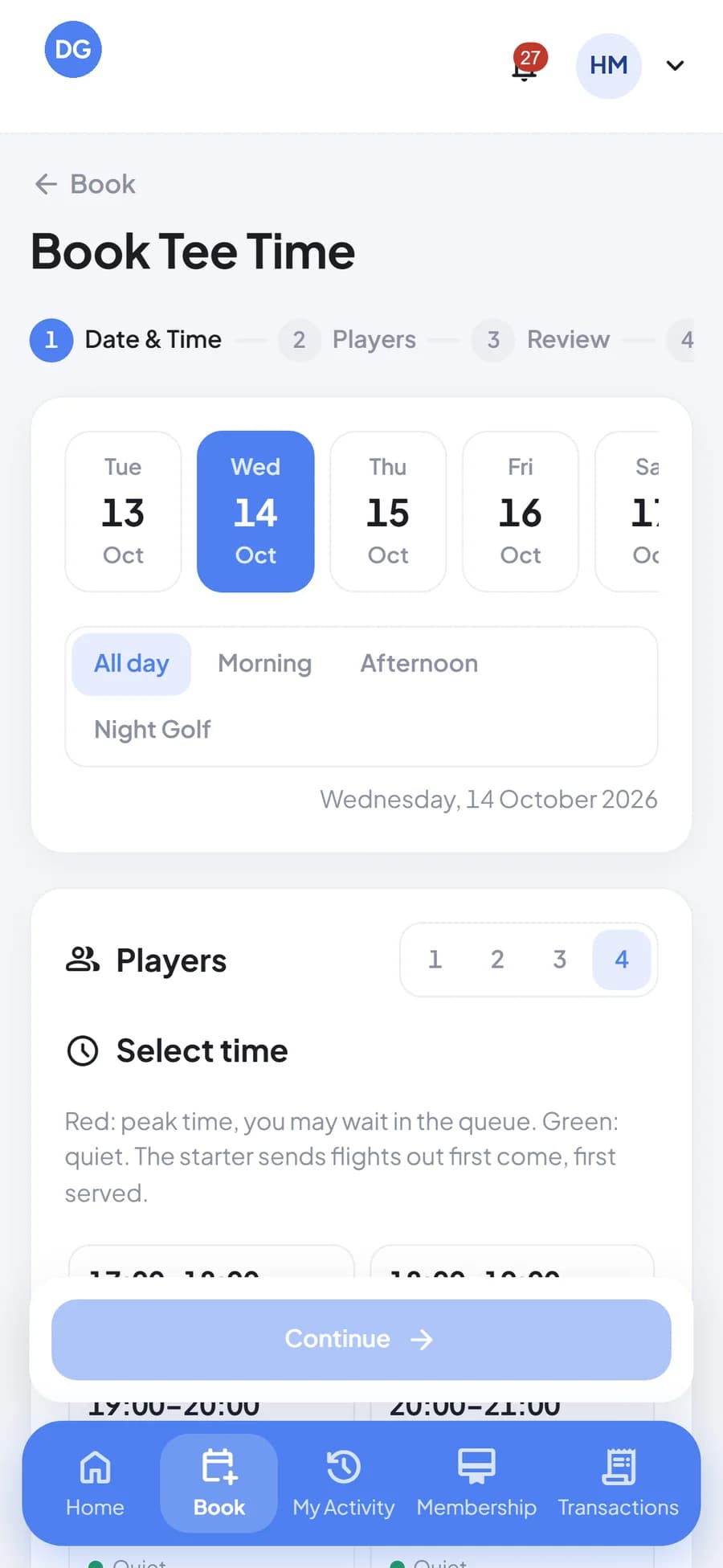
Members book tee times and facilities, check their activity, scores and handicap, member card, and transaction history from their phone.

Golf & Country Club Super App
Tee sheet, membership, booking, POS, banquets, CRM, and the back office share one backend. Members, staff, and management see the same data.
Modules inside OneClub
About OneClub
OneClub brings golf, sport club, accommodation, banquets, membership, POS, CRM, and the back office, which used to run on separate systems. Every member and guest visit is recorded from booking, play, and spending all the way to the accounting journal.
Members book tee times and facilities, check their activity, scores and handicap, member card, and transaction history from their phone.
The POS, tee houses, and caddy tablet stay usable when the connection drops. Transactions are queued and sync as soon as the network returns.
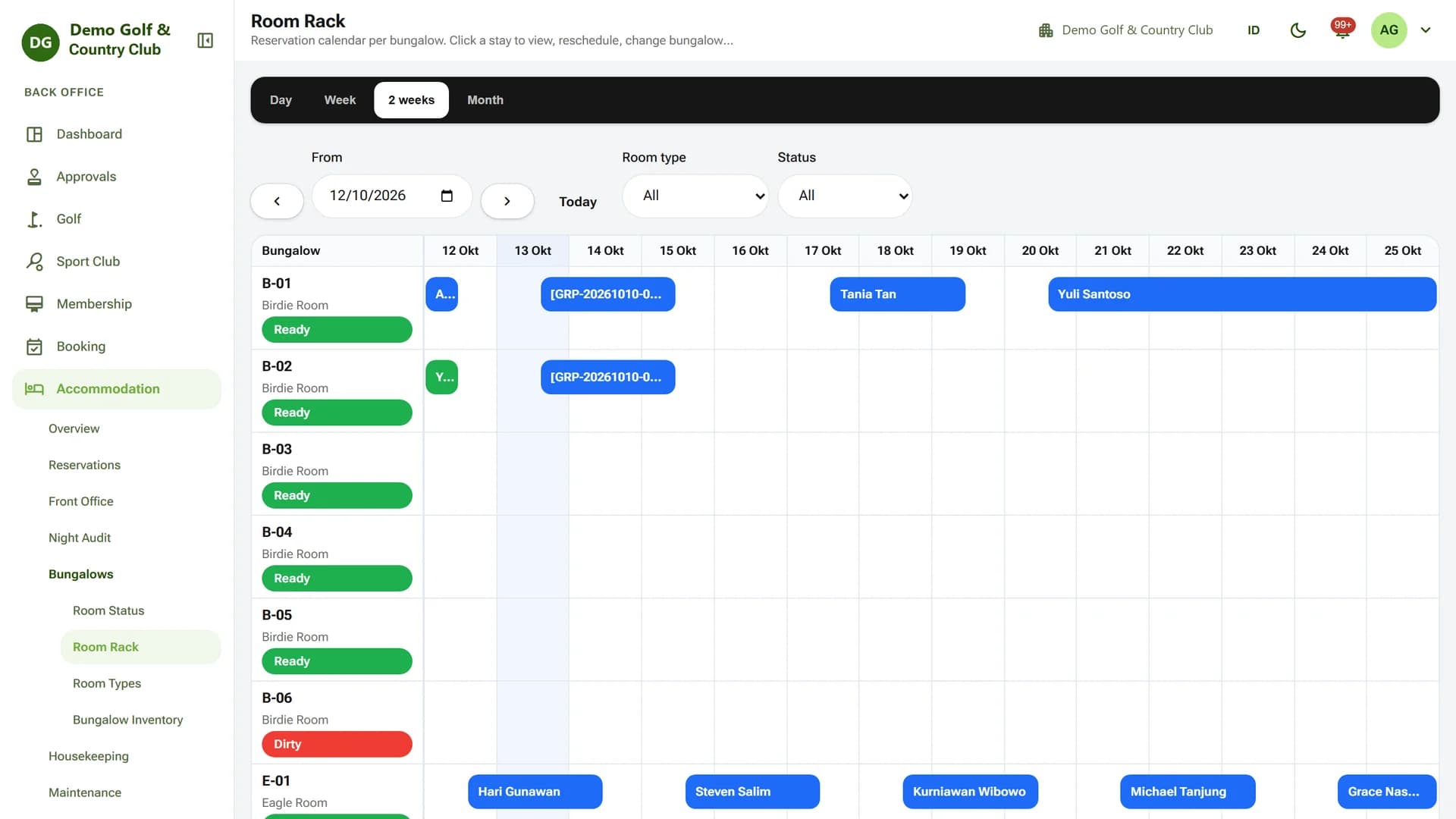
The bungalow room rack, front desk, night audit, and banquets use the same member data and folios as the golf operation.
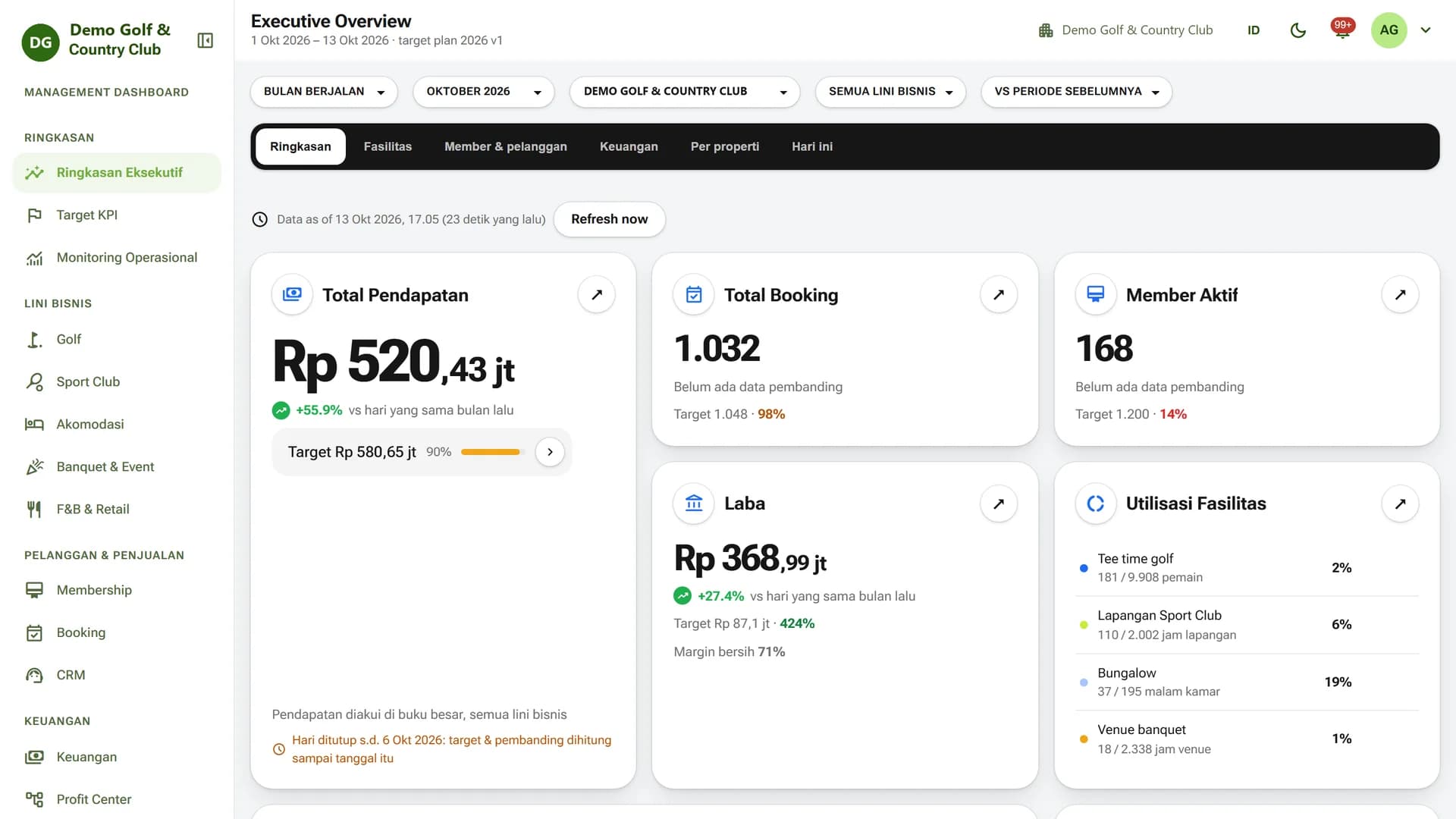
Executive Overview, KPI targets, and profit centers show golf, sport club, accommodation, banquet, and F&B performance on one screen.
How It Works
A golf member's journey from booking to a recorded bill.
The member picks a date, session, and number of players in the Member App. The booking goes straight onto the tee sheet.
The front desk checks the flight in, the caddy master assigns caddies and golf carts, and the starter sends the flight out.
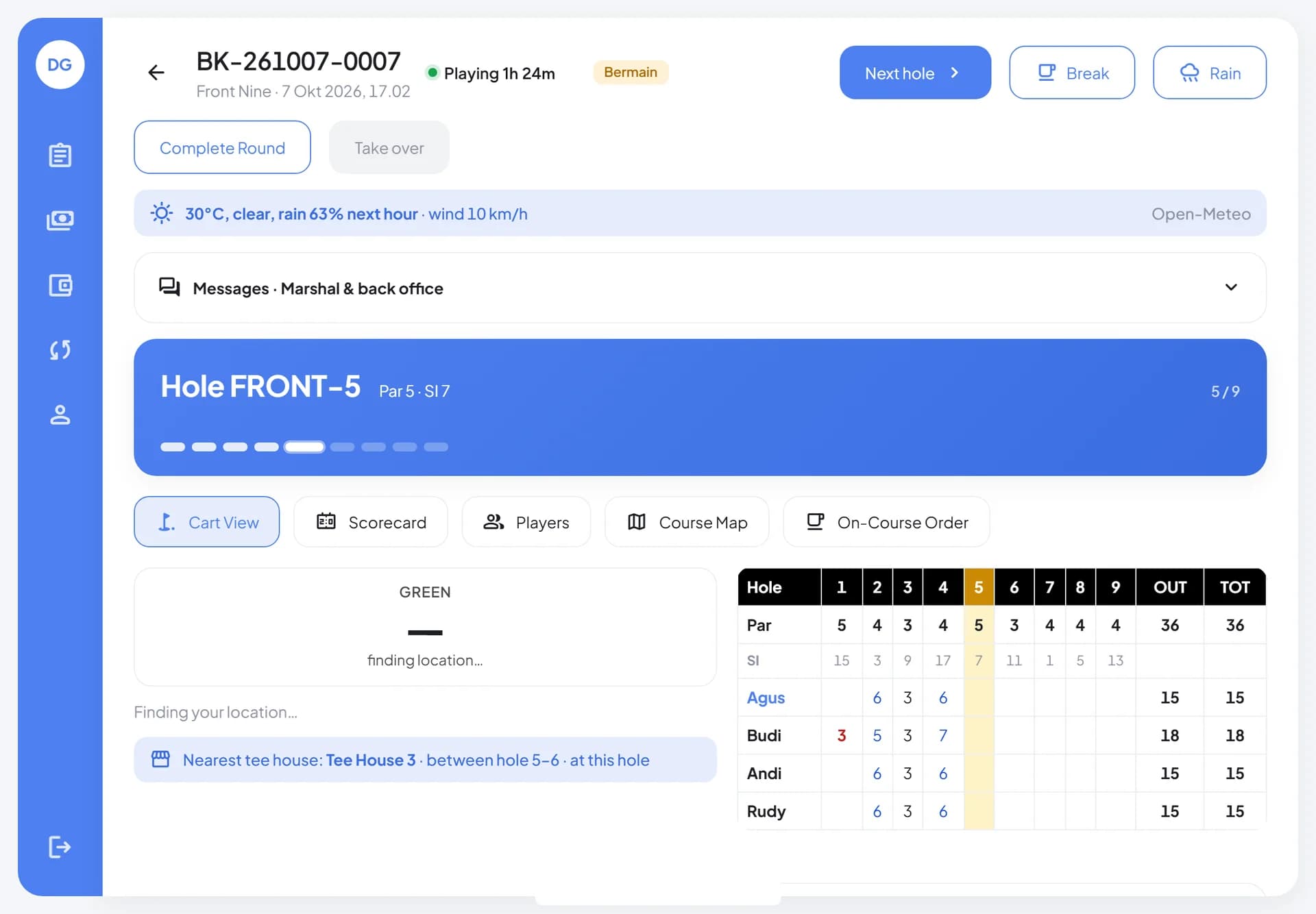
Caddies keep the scorecard on the tablet, marshals watch pace of play, and on-course orders go to the tee house.
Every charge collects on the member folio, then flows into accounting and the management dashboard.
01Golf Operations
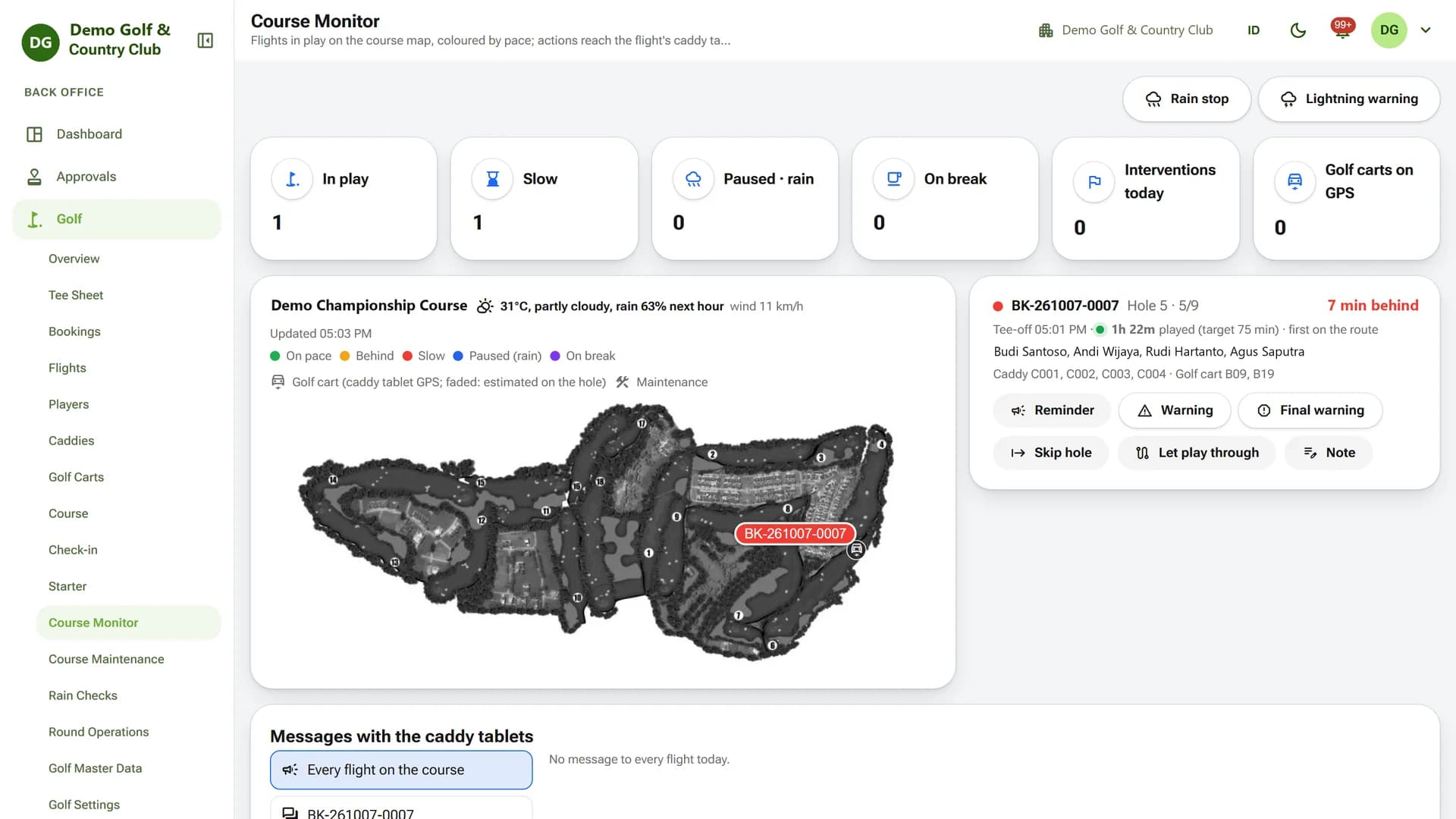
Course Monitor plots each flight on the course map, colored by pace of play. Marshals send reminders or warnings that appear right on the caddy tablet.
02Tee Sheet & Booking
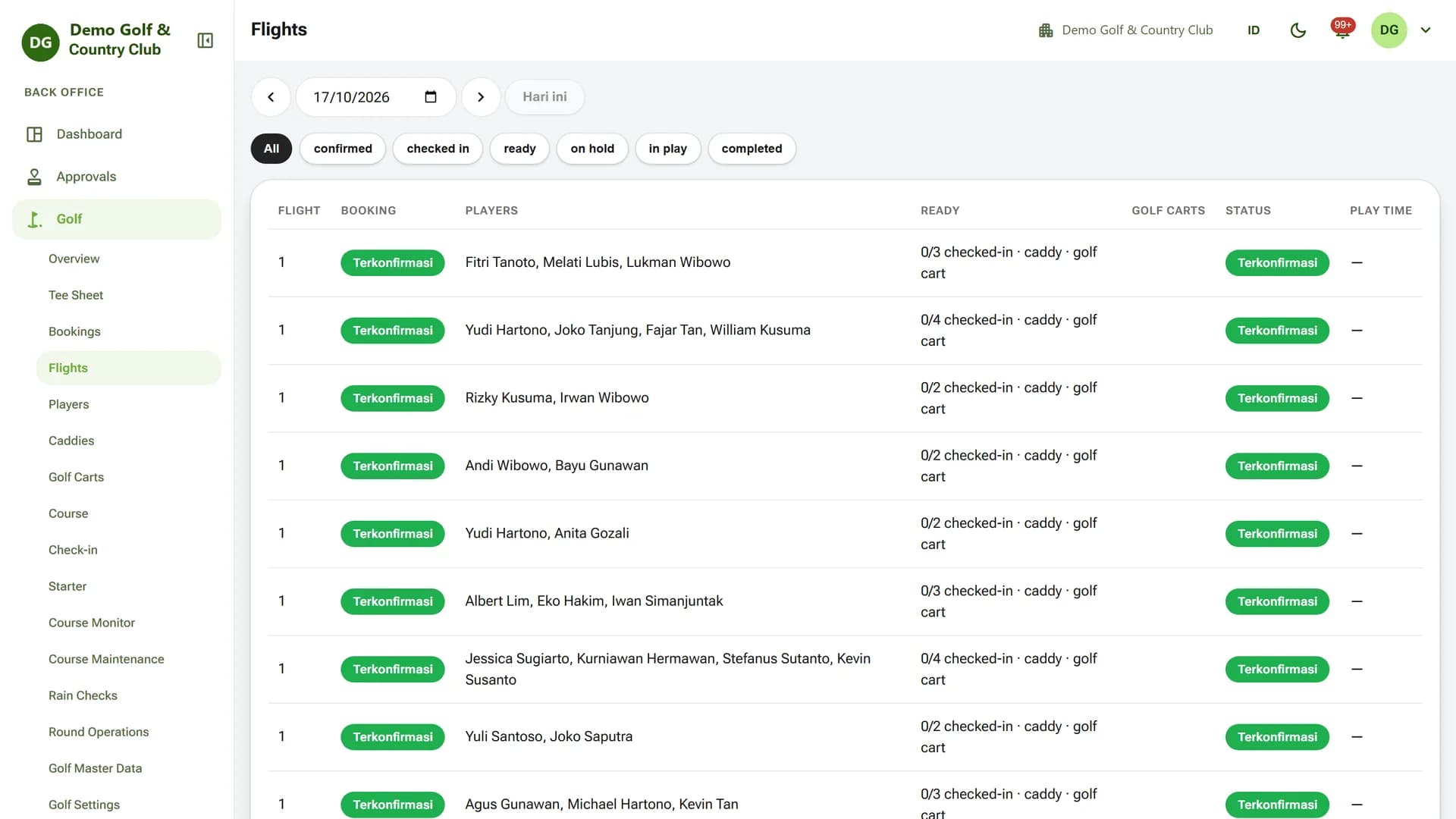
Members book tee times in the app, and the booking lands straight on the tee sheet and flight list. Front desk and starters see check-in, caddy, and golf cart status for every flight.
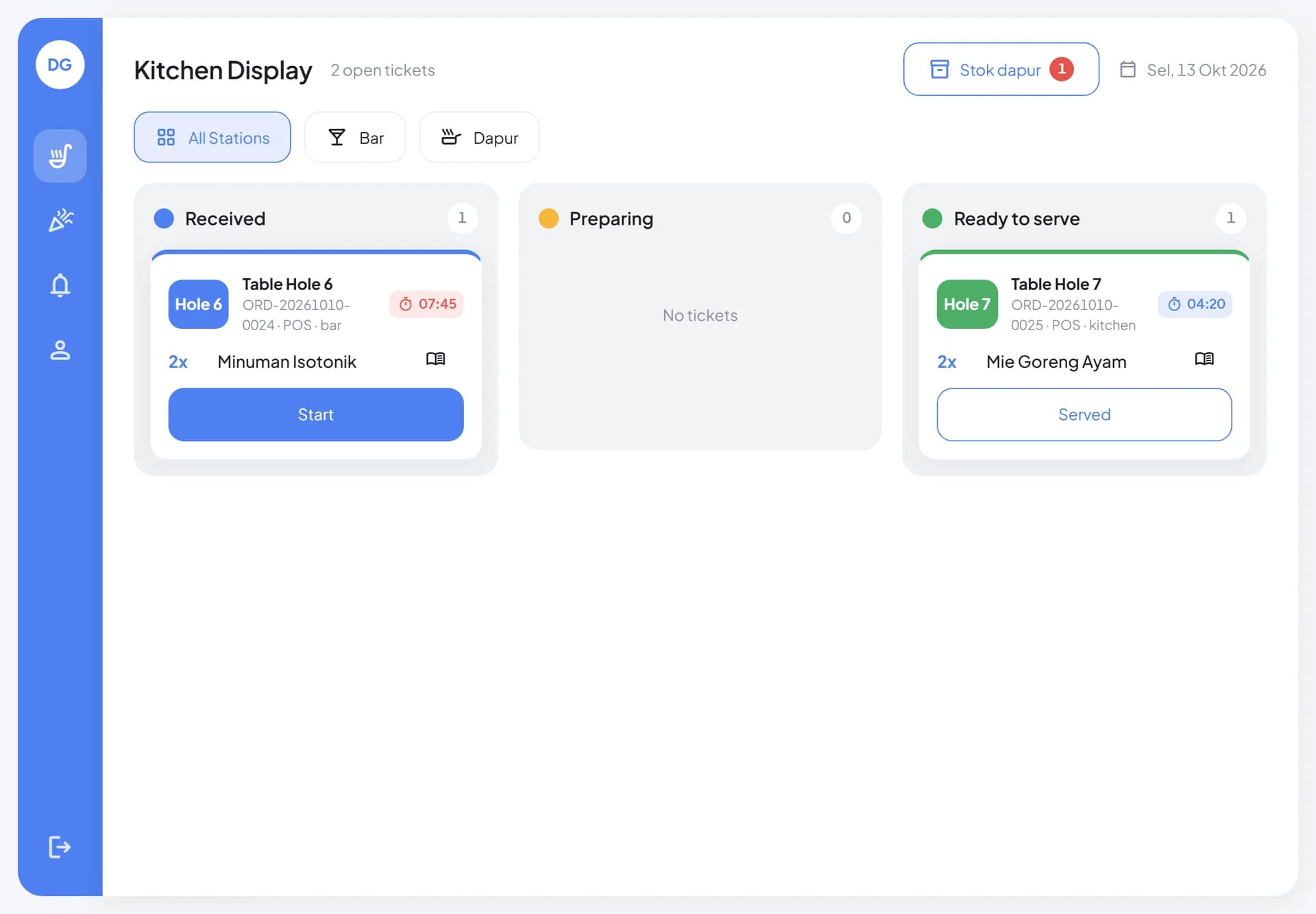
03POS & Kitchen Display
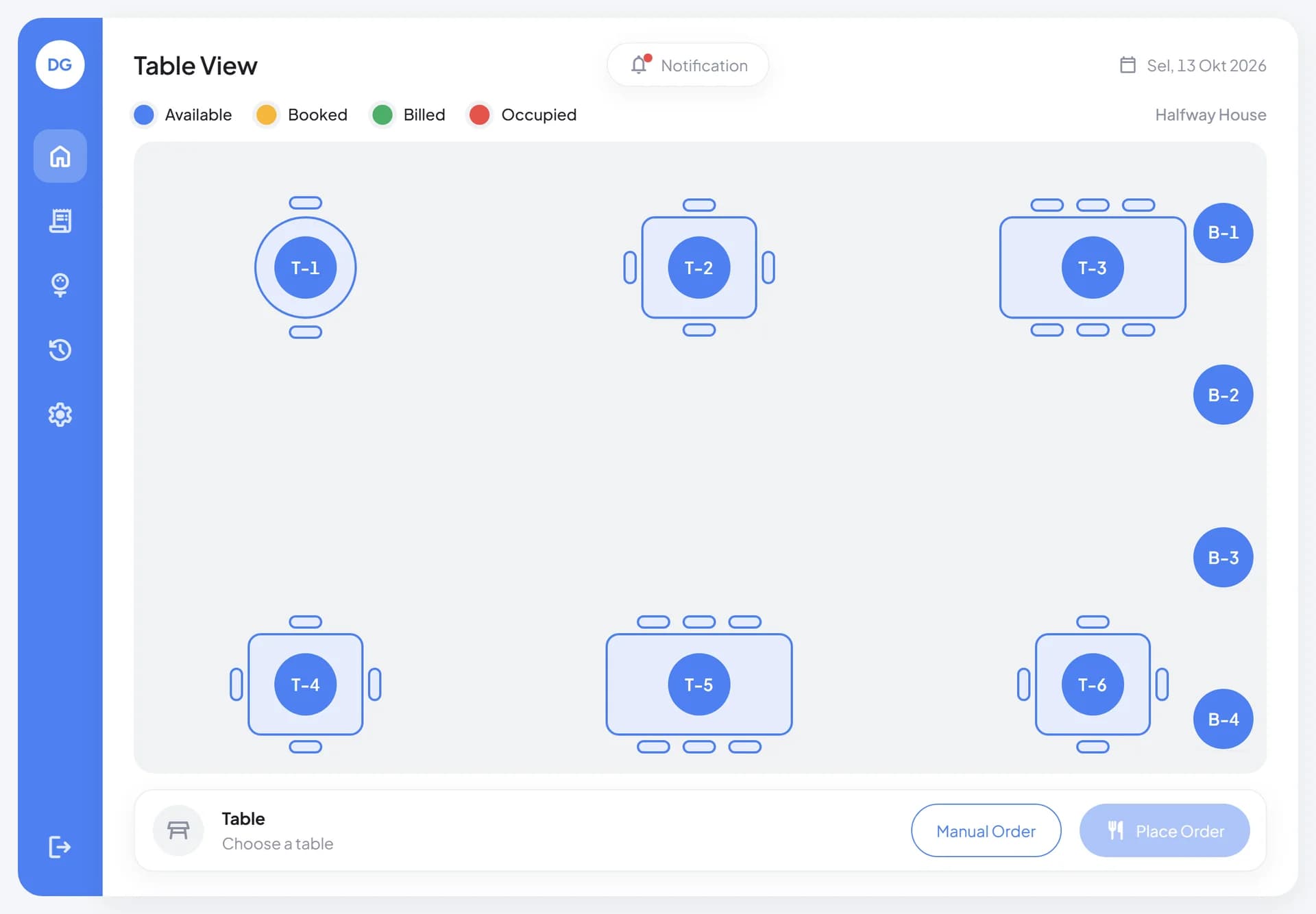
Tee house and restaurant cashiers take orders from the table plan, including orders placed on the course. Tickets appear instantly on the kitchen display per station, and bills can be charged to the member folio.
Who it's for
Book tee times and facilities, view activity, scores, and transactions, and manage their membership in the Member App.
Handle check-in, flight dispatch, and caddy and golf cart assignment.
Keep the scorecard on the caddy tablet and receive marshal messages during play.
Serve transactions at the POS and tee houses, with orders appearing instantly on the kitchen display.
Track profit centers and KPIs, and manage finance, purchasing, inventory, and HR.
Technology
FAQ
No. Beyond golf and tournaments, OneClub covers the sport club, accommodation and venues, banquets and events, membership, CRM, and the back office. Modules are enabled to match each club's needs.
The operational mode for the POS and caddy tablet is built to keep working offline. Transactions are queued on the device and sync to the server when the connection returns.
Every app uses one backend and one database. Charges from golf, F&B, accommodation, and events can post to the same member folio and then flow into accounting.
Each club gets its own instance with a separate database. One Staff App opens on different domains for the back office, cashier, caddy tablet, and kitchen display.
Yes, through an integration layer with per-instance adapters for WhatsApp notifications, email, and e-Faktur. The online payment adapter currently runs in sandbox mode and is connected to the club's chosen provider during implementation.
OneClub
Book a demo and see the full flow from tee time booking to management reports.
More platforms built by Seautomate.
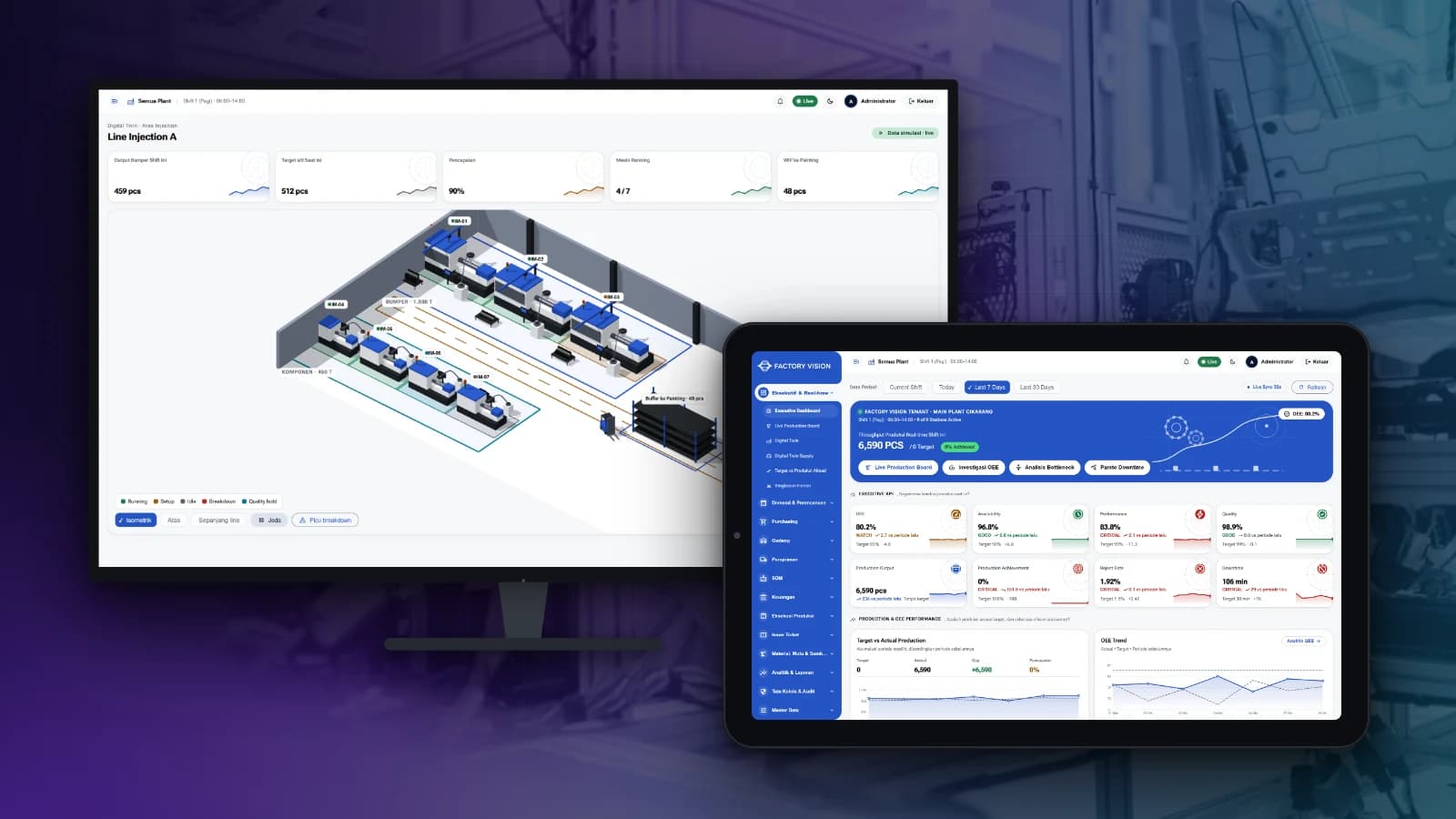
FactoryVision
Track production, OEE, quality, warehouse and plant finance in one system, from the shop floor to management reports.
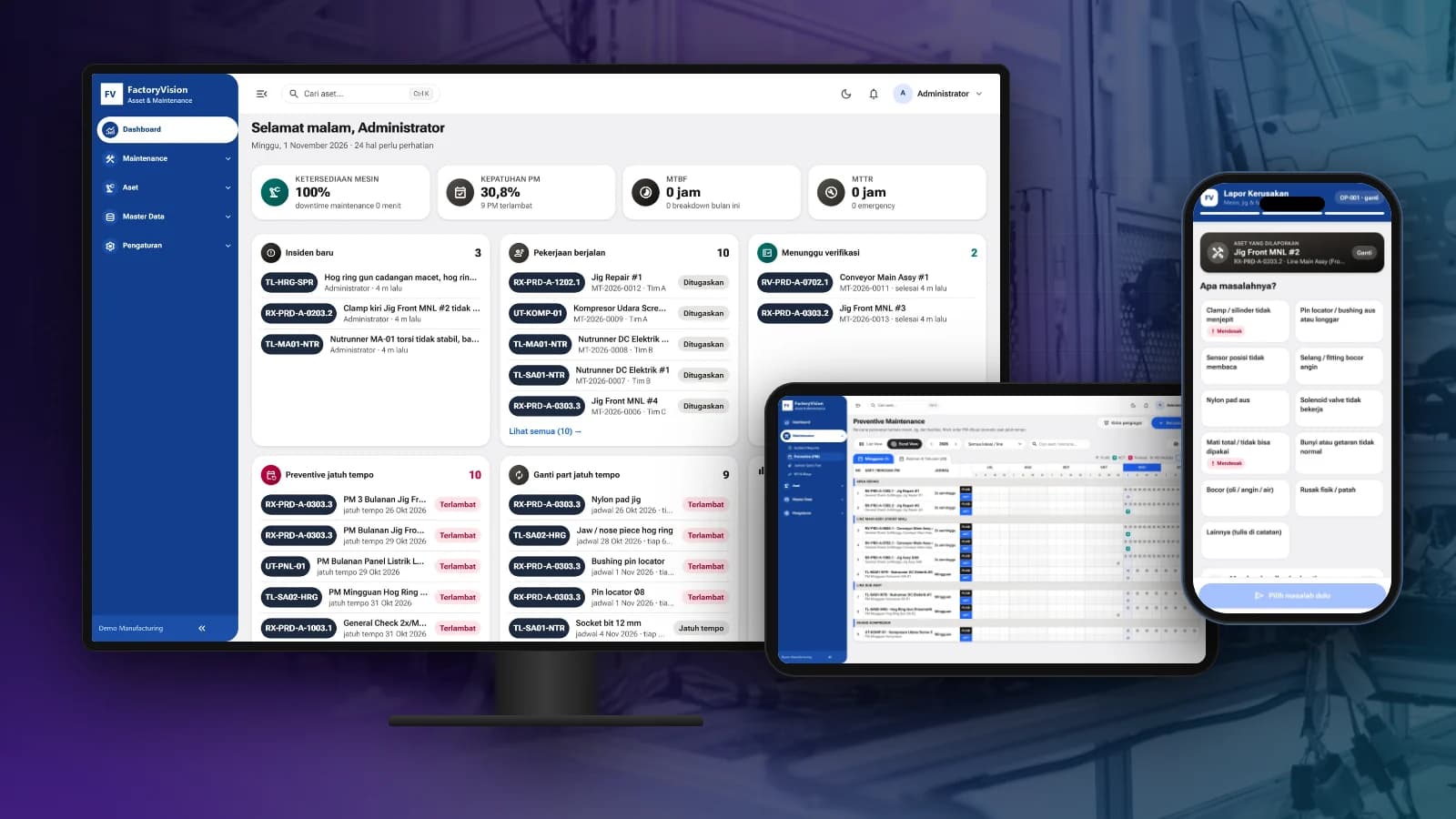
FactoryVision Maintenance
Schedule preventive maintenance, manage work orders and take breakdown reports by scanning a QR code on the machine, with KPIs and costs per asset.
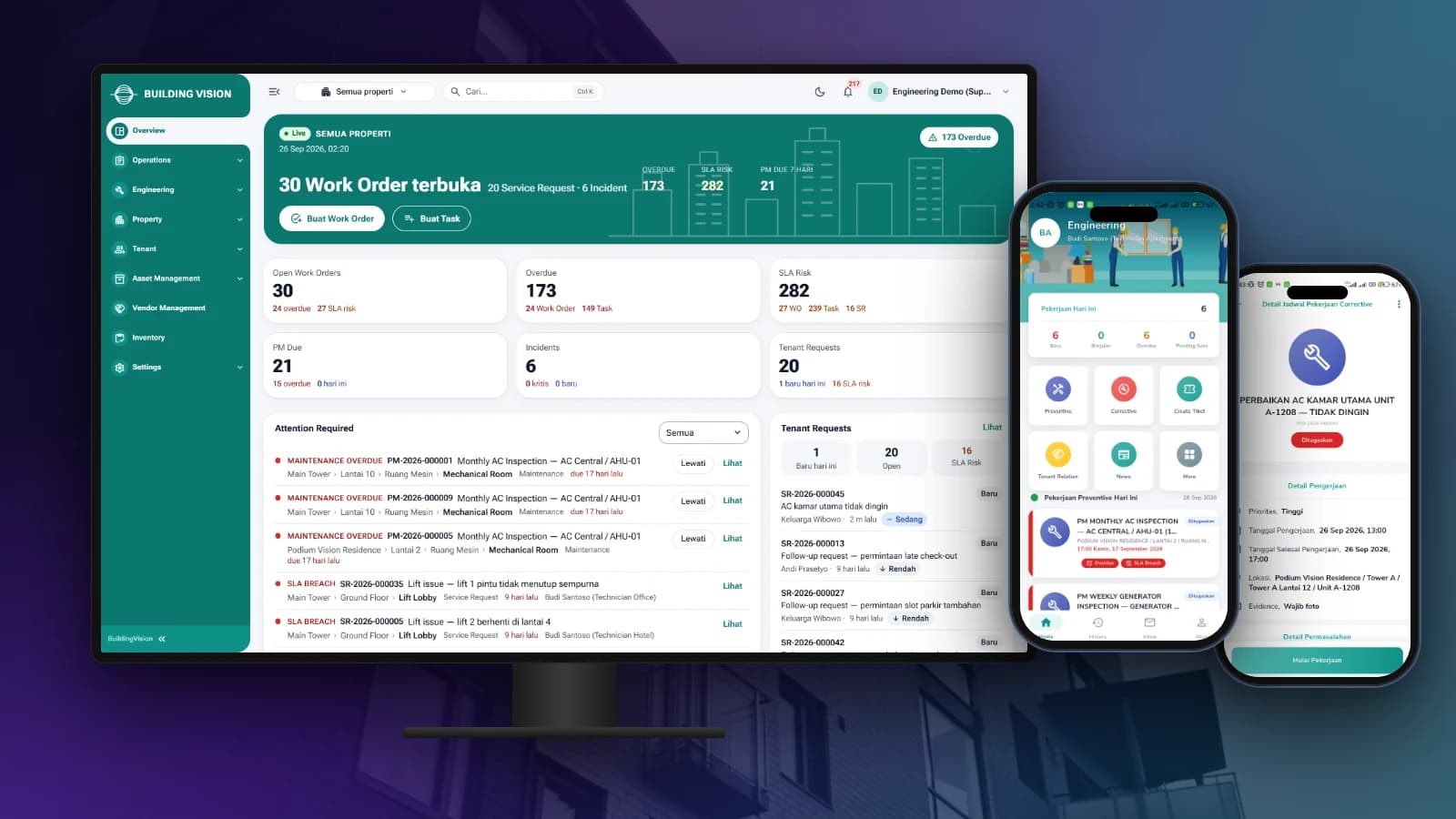
BuildingVision
Manage tenant requests, work orders, preventive maintenance and on-site teams from one dashboard and staff app.

BuildingVision Hotel
Reservations, front desk, housekeeping, F&B, direct booking and hotel accounting in one platform.

LogiVision
Manage receiving, putaway, picking and dispatch in the warehouse with Barcode and QR Code scanning.
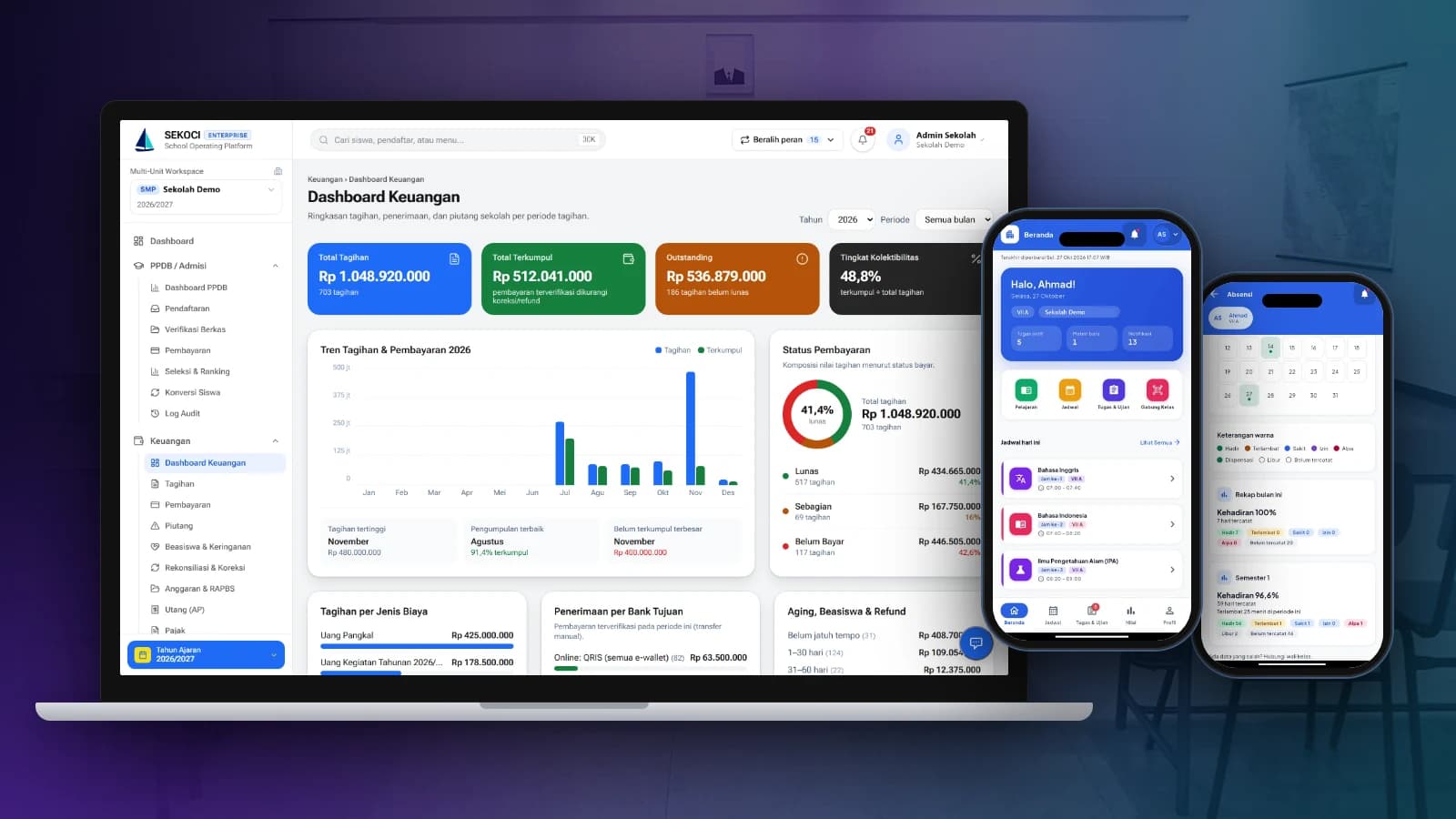
SEKOCI
Academics, attendance, CBT exams, e-report cards and school accounting in one easy-to-use application.
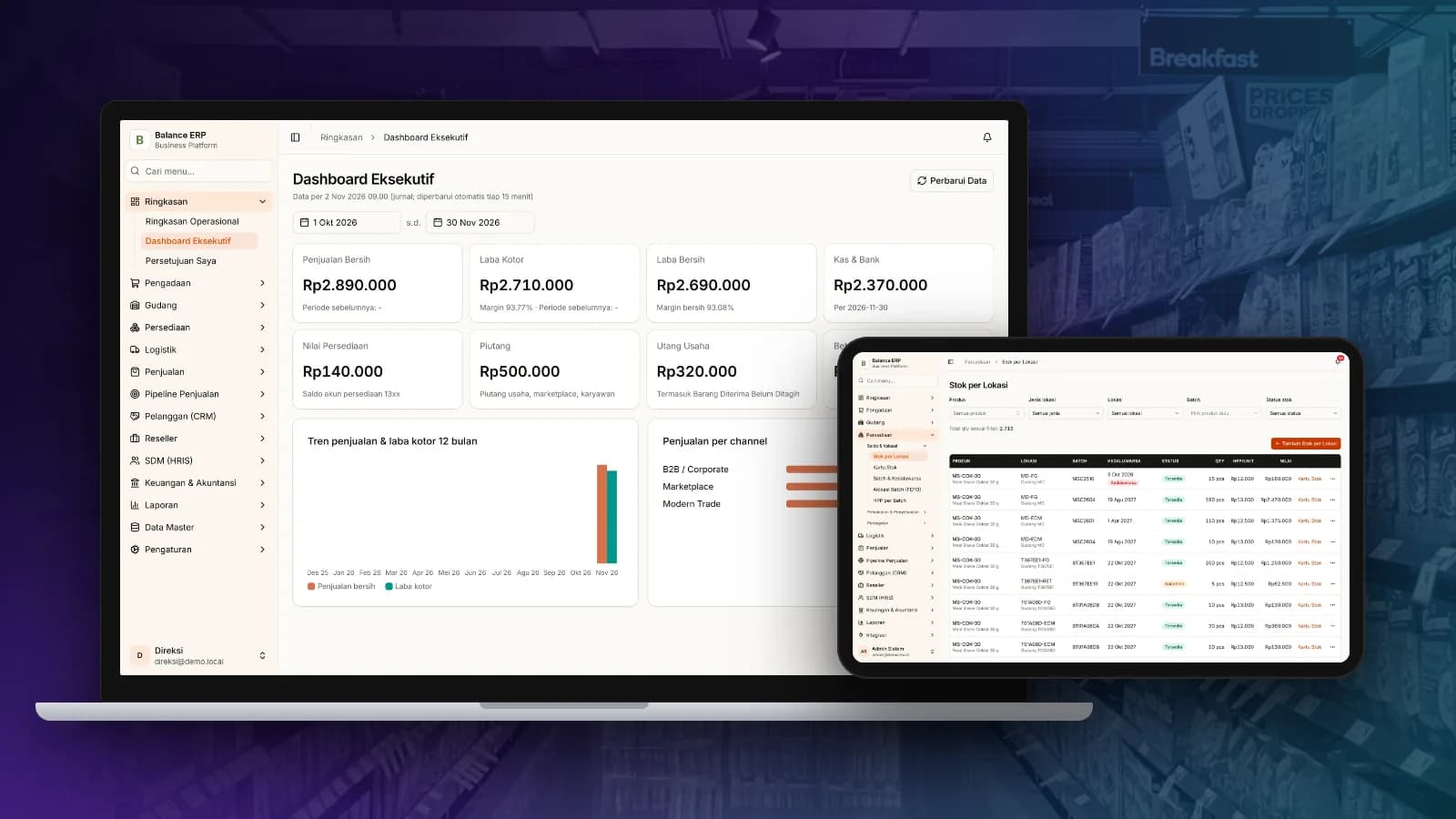
Balance
Multi-channel sales, stock by location, purchasing and automatic accounting journals in one business platform.
